

The Bond serial number or Bond ID is alphanumeric and can be on the Bond hardware and in the Bond Home application after being set up.
Hardware Locations
Hardware locations
|
Bond Bridge |
The serial number for a Bond Bridge with serial numbers starting with A, B or ZZ is located on the bottom of the unit | |
|
|
||
|
Bond Bridge Pro |
The Bond Bridge Pro ID starts with ZZ and is located on the bottom of the unit. | |
|
SBB Fan |
The Smart By Bond fan ID is located on the receiver unit which is usually installed in the fan. This information may also be in the user manual. | |
|
Outdoor Lighting |
The Outdoor Lighting ID is located on the side of the control unit. |
In the Bond Home application
Bond Bridge & Bond Bridge Pro
- Open the Bond Home application.
- Select your Bond Bridge or Pro.
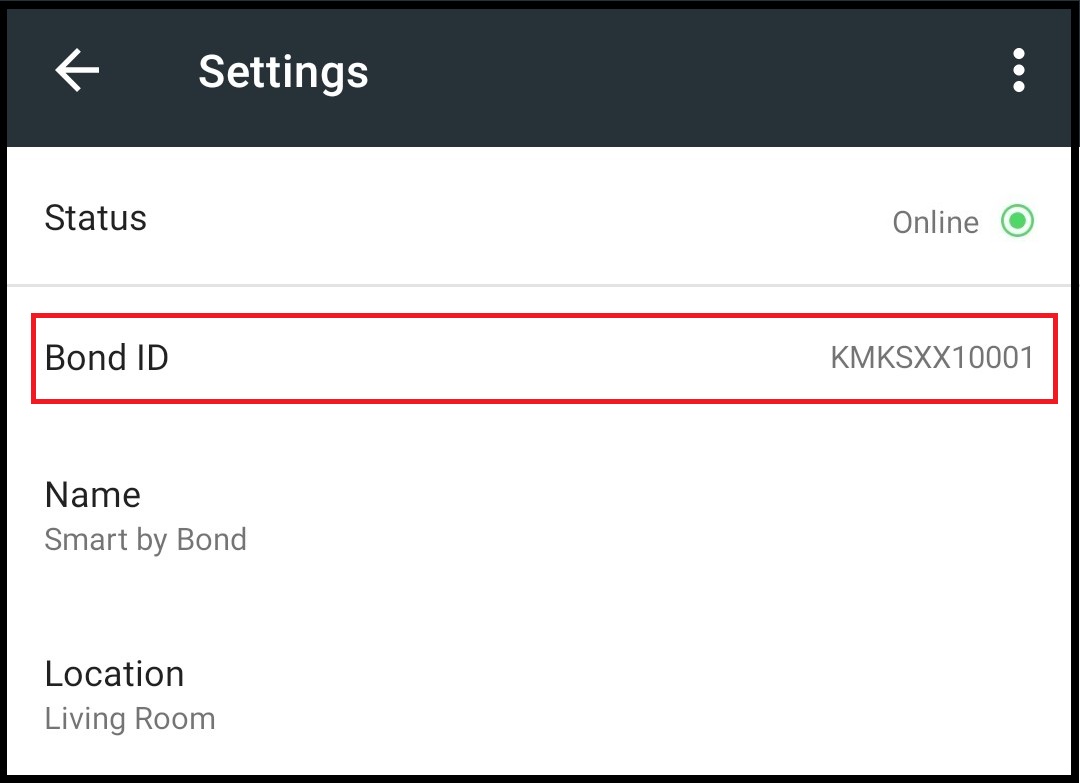
- You will see the Bond Bridge serial number or Bond ID under the Status.
- Bond Bridge units start with A, B or ZZ. Bond Bridge Pro will start with ZP.
- Bond Bridge units start with A, B or ZZ. Bond Bridge Pro will start with ZP.
Smart-by-Bond (SBB) & Outdoor Lighting
The Smart-by-Bond serial number is alphanumeric which starts with the letters "K" for ceiling fans and the letter "T" for outdoor lighting.
- Open the Bond Home application.
- Select your Smart-by-Bond fan or Outdoor light.
- Select the icon on the upper right corner of the Bond Home app.
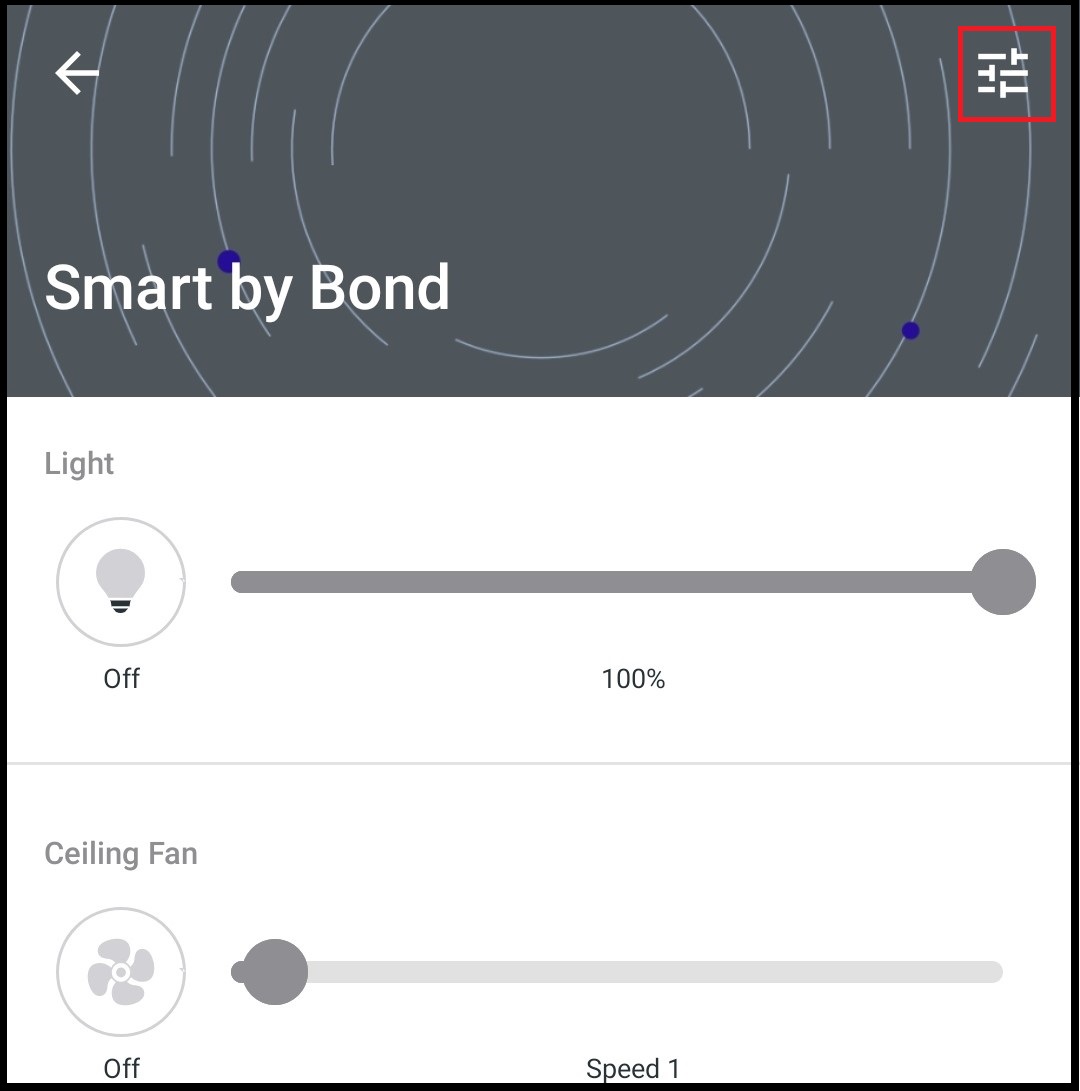
- You will see the Bond serial number or Bond ID under the Status.
Comments
Article is closed for comments.